
Looker Studio Pro vs Looker: Pricing Comparison
Feb 21, 2026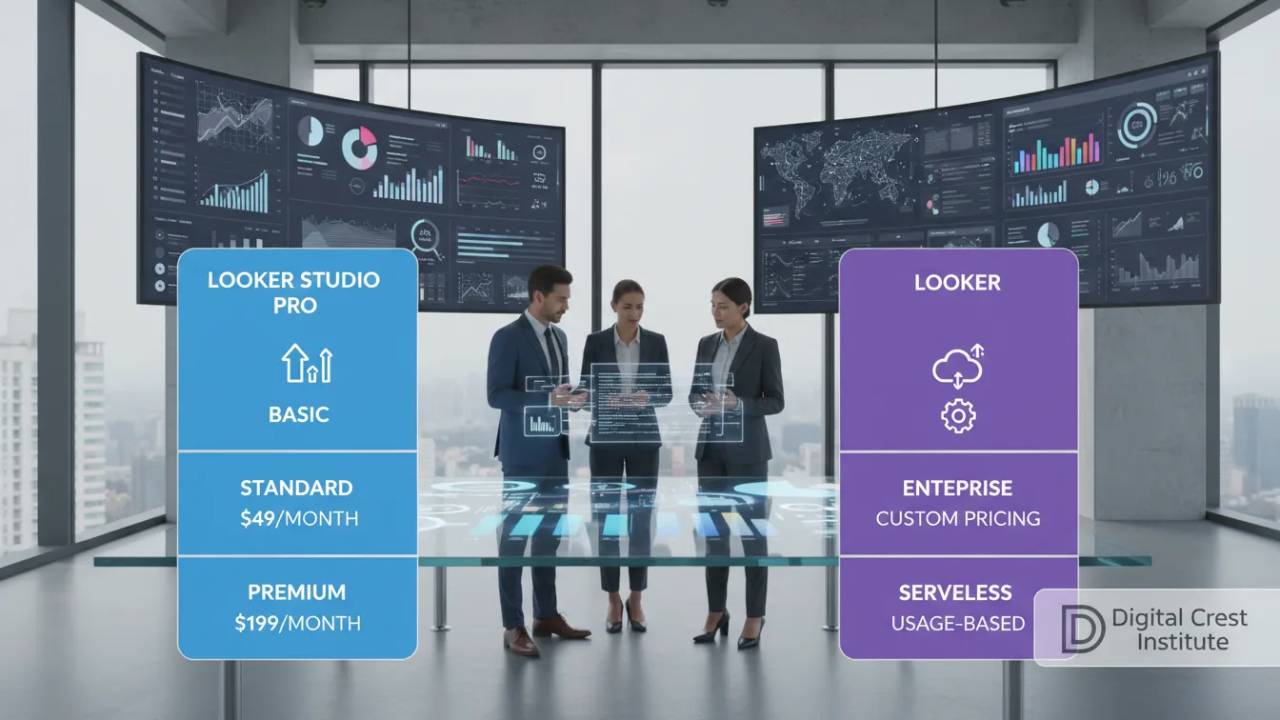
The global market for data visualization tools is growing fast, expected to hit $10.2 billion by 2025.
This growth shows how much companies rely on clear charts for big decisions. Visual data is now key to successful business strategies in the United States.
Every company wants to turn raw numbers into clear, actionable stories. A strong analytics platform makes this possible for teams of all sizes. This growth highlights the growing importance of visual data in modern decision-making.
Finding a balance between powerful features and a tight budget is a big challenge for many firms. Choosing a path that offers both power and flexibility is the main goal for any savvy manager. We will explore how these different tiers can help your organization thrive in a data-driven world.
Key Takeaways
- The data visualization market is growing at a 9.2% rate annually.
- Visual charts help business leaders make faster and better decisions.
- Scalability remains a top priority for growing American companies.
- Enterprise features provide much better control and data security.
- Strategic budget planning is vital when selecting new software tiers.
- Modern business intelligence tools turn complex info into clear stories.
Understanding Looker Pricing Models
It’s important for businesses to know how Looker’s pricing works. Looker’s pricing is flexible, fitting different business sizes and needs.
Overview of Pricing Structures
Looker has many pricing options for different needs. The main thing that affects the cost is how many users or licenses you buy.
For example, Looker Studio Pro costs $9 per user each month. The cost is for all licenses, not just who’s using it. This lets businesses grow their analytics as they need to.
Key Features that Influence Cost
Several features can change how much Looker costs. These include:
- Number of Users: More users mean higher costs.
- Data Volume: Big data can raise prices, if it goes over limits.
- Custom Features: Extra or custom features cost more.
- Support and Maintenance: How much support you need also affects the price.
| Feature | Description | Cost Impact |
|---|---|---|
| User Licenses | Number of users accessing the platform | Directly proportional to the number of licenses |
| Data Processing | Volume of data being analyzed | Can increase costs if exceeds thresholds |
| Customization | Additional features or custom development | Increases cost based on complexity and scope |
Knowing these factors helps businesses plan their budget. They can pick the best pricing model for their needs.
Looker Studio Pro: Pricing Details
For those looking into Looker Studio Pro, knowing the pricing is key. It offers flexible and scalable costs to fit various needs.
One big plus of Looker Studio Pro is its easy upgrade path. Companies already using Google Workspace or Cloud Identity can upgrade directly without needing to engage with a sales team. This makes the switch smooth and quick.
Subscription Options
Looker Studio Pro has many subscription choices to meet different user needs. The plans are flexible, allowing companies to pick what works best for them.
Monthly vs Annual Pricing
A great feature is the 30-day free trial. It lets users try out the platform fully before deciding on a paid plan.

Looker Studio Pro has both monthly and annual pricing. Annual pricing is more cost-effective for long-term use. Monthly billing is better for those with changing needs.
A Looker Studio Pro user shared,
“The flexibility in pricing and the ease of upgrading made Looker Studio Pro an ideal choice for our organization.”
It’s important to understand Looker Studio Pro’s pricing model. By looking at the subscription options and billing cycles, companies can find the best and most affordable plan for them.
Looker: Complete Pricing Breakdown
Understanding Looker’s pricing is key to making a smart choice. Looker’s pricing is flexible, fitting different business needs.
Looker has various pricing tiers for different needs. Each tier offers specific features and support levels.
Pricing Tiers Explained
Looker’s tiers offer more features and support as you move up. You’ll find a basic plan, a standard plan, and an enterprise plan. Each has its own set of features.
The main differences between tiers are support level, user count, and advanced analytics tools. Knowing these differences helps pick the right tier for your business.
| Pricing Tier | Key Features | Support Level |
|---|---|---|
| Basic | Essential analytics tools, limited users | Standard support |
| Standard | Additional analytics tools, more users | Priority support |
| Enterprise | Comprehensive analytics tools, unlimited users | Dedicated support |
Billing Cycle Options
Looker lets you choose how you pay. You can pick between monthly or annual billing. This helps with budgeting and planning.
Monthly billing lets you change plans easily. Annual billing saves money if you’re committed long-term.
Knowing about pricing tiers and billing options helps businesses choose the right Looker plan. This ensures they get the best fit for their needs and budget.

Comparing Looker Studio Pro and Looker Pricing
It’s important to compare Looker Studio Pro and Looker pricing to make a smart choice. Both have unique features and pricing models for different business needs.
Looking at the pricing and what each offers is key. Looker Studio Pro is for big companies. It has AI-powered insights and centralized content management, making it worth the cost.
Direct Price Comparison
Looking at the prices, Looker Studio Pro costs more. This is because it has more advanced features.
Looker Studio Pro’s price is tailored to the company’s size and needs. Looker has more standard pricing tiers.
Value Proposition for Each Option
Looker Studio Pro offers enhanced security measures and advanced analytics. It’s great for big companies with complex data.
Looker is better for smaller to medium-sized businesses. It’s simpler and cheaper but has all the important features.
When choosing between Looker Studio Pro and Looker, think about your company’s needs. See how each platform’s features match those needs.
With AI playing a bigger role in business, the need for skilled AI enabled engineers and architects is rising. Obtaining certifications like the Certified Cloud AI Solutions Architect (CCASA) course and certification can significantly enhance your career.
It can be done in just a few days.
USE Coupon Code for 25% off: SAVE25NOW

Additional Costs Associated with Looker
Using Looker costs more than just the subscription fee. There are other factors to consider. Looker’s pricing is clear, but there are extra costs to think about.
It’s key for businesses to budget right for their business intelligence needs. These extra costs might include fees for more data sources, advanced features, or support. These can make Looker more useful and easier to use.
Potential Hidden Fees
Some costs with Looker might not be obvious at first. These can include charges for extra data processing, premium support, or fees for third-party data sources. For example, using certain data sources might cost extra.
Coupler.io, a partner connector, can lower data loading costs. It makes integrating data easier, which is great for businesses with lots of data.
Cost for Additional Features
Looker has many features to improve its use, but some cost extra. It’s important for businesses to know the cost of these features. This helps them make smart choices.
| Feature | Description | Cost Implication |
|---|---|---|
| Advanced Data Analytics | Enhanced analytics capabilities for deeper insights | Additional fee based on usage |
| Premium Support | Priority support for critical issues | Annual subscription fee |
| Custom Data Connectors | Integration with custom or niche data sources | Variable cost depending on the connector |
Using a Looker price estimator helps businesses plan their budget better. It’s also wise to check Looker’s pricing details and talk to their sales team. This way, you’ll understand all the costs involved.
Looker Studio Pro: Pros and Cons of Pricing
To decide if Looker Studio Pro is right for you, it’s key to weigh its pros and cons. This will help businesses see if the benefits are worth the cost.
Benefits of Choosing Looker Studio Pro
Looker Studio Pro comes with advanced features that boost data analysis. It has advanced collaboration features, robust security measures, and premium support. For those needing these, it’s a big plus.
It also makes teamwork better. With tools for sharing data and working together, teams can do more. For more on if it’s worth it, check this in-depth review.
Drawbacks and Considerations
But, Looker Studio Pro’s price might stop smaller groups or those on a tight budget. It’s pricey, more than other choices.
Let’s look at a comparison table to see the costs:
| Feature | Looker Studio Pro | Standard Looker |
|---|---|---|
| Advanced Collaboration | Yes | No |
| Premium Support | Yes | No |
| Cost | Higher | Lower |
This table shows the trade-offs between Looker Studio Pro and the standard Looker. It helps businesses choose based on their needs and budget.
Looker: Advantages and Disadvantages
Choosing Looker means knowing its good and bad sides. It’s a strong tool for showing data, with a free version that has lots of features. This can meet many needs in organizations.
Why Choose Looker?
Looker has many benefits, like affordable plans for all budgets. Its robust free version lets users try out its features without spending money.
- Affordable Looker plans: Flexible pricing for various business needs.
- Data Visualization: Known for its top-notch data visualization.
- Free Version: A free version with lots of features for trying it out.

Potential Limitations in Pricing
Looker also has some downsides. The free version doesn’t have all advanced features, which might limit its use for detailed data analysis. Also, as businesses grow, the cost of using Looker can increase.
When looking at Looker’s pricing, think about both the start-up costs and the future costs. Looker’s pricing is competitive, but knowing its limits is key to making a smart choice.
Customer Feedback on Pricing Models
Customer feedback on pricing models gives us valuable insights. It helps us see how Looker and Looker Studio Pro compare in real life. By looking at user reviews and market comparisons, businesses can figure out which pricing model works best for them.
User Reviews and Insights
User reviews share real experiences with different pricing models. Many users like Looker Studio Pro for its flexible pricing options. This lets businesses use more as they grow without breaking the bank.
Some users also like Looker’s transparent pricing structure. It makes it easier to know what to expect in terms of costs.
Scalability is a big deal in user reviews. Businesses want a pricing model that can grow with them. Looker Studio Pro is praised for being able to do just that.
Market Comparisons
Market comparisons give a wider view of Looker’s pricing against others. They show that Looker’s pricing is competitive in the business intelligence market. This is important for businesses deciding between Looker and Looker Studio Pro.
Also, market comparisons show that businesses want predictable pricing. Looker’s tiered pricing is seen as a plus. It lets businesses pick a plan that fits their budget and usage.
By looking at both user reviews and market comparisons, businesses can make a better choice. Whether they value flexibility, transparency, or predictability, understanding customer feedback is key to picking the right Looker pricing model.
Making the Final Decision: Looker vs Looker Studio Pro
Choosing between Looker Studio Pro and Looker depends on your needs. A detailed Looker price comparison shows the best choice varies. It depends on your data needs, team collaboration, and budget.
Key Considerations
First, think about your data analysis needs. Consider how much your teams need to work together. Also, look at your budget. These points help decide between Looker Studio Pro and Looker.
Pricing Strategy and Value
Look closely at the pricing of both Looker Studio Pro and Looker. Think about the total cost and the value each offers. This helps businesses pick the best fit for their goals and budget.
In the end, picking between Looker Studio Pro and Looker should be based on a detailed look at your specific needs and situation.

Become a GitOps enabled professional by getting certified with the Linux Foundation.
FAQ
Where can I find a reliable Looker price estimator?
What are the most affordable Looker plans for small businesses?
How does the Looker price comparison look against competitors like Tableau?
Are there any hidden fees in a Looker cost analysis?
Can I switch from Looker Studio Pro to the full Looker platform later?
Is there a discount for annual Looker pricing?
Cloud InterviewACE.
The best way to pass the Cloud Computing interviews. Period.
Cloud InterviewACE is an online training program & professional community mentored by industry veteran Joseph Holbrook (“The Cloud Tech Guy“), a pre/post sales guru in cloud.
Learn to pass the technical and even soft skills interviews from the starting basics to advanced topics covering presales, post sales focused objectives such cloud deployment, cloud architecting, cloud engineering, migrations and more. resume tips, preparation strategy, common mistakes, mock interviews, technical deep-dives, must-know tips, offer negotiation, and more. AWS, GCP and Azure will be covered.

Find out more about CloudInterviewACE
Fast-track your career now!
This changes your world, what are you waiting for!
Affiliate Disclosure
We love that you’re enjoying the cool stuff here.
Our legal consultant tells us we should let you know that you should assume the owner of this website is an affiliate for people, business who provide goods or services mentioned on this website and in the videos or audio.
The owner may be compensated and should be if you buy stuff from a provider.
That said, your trust means everything to us and we don’t ever recommend anything lightly. Thank you
Get Certified with Digital Crest Institute today
Stay connected with news and updates!
Join our mailing list to receive the latest news, discounts and updates from our team.
Don't worry, your information will not be shared.
We hate SPAM. We will never sell your information, for any reason.